
Windows 11 January 2026 update is breaking computers and Microsoft had to release emergency fixes

Microsoft’s Windows 11 January 2026 update on Patch Tuesday turned into a nightmare for Windows 11 users. The company released what was supposed to be a routine monthly update on January 13, but it ended up breaking multiple core features across different versions of Windows. Things got bad enough that Microsoft had to scramble and release emergency out of band fixes just four days later on January 17. Even with those emergency patches, some issues remain unresolved and are affecting users right now.
What did Microsoft bring on Patch Tuesday
The January 2026 Patch Tuesday rollout included updates for Windows Server 2025, Windows Server 2023, Windows 11 version 25H2, Windows 11 version 23H2, and even Windows 10 Extended Security Updates. These monthly updates typically include security patches, bug fixes, and small improvements. Companies and IT departments around the world install them to keep their systems secure and running properly. But this month’s updates introduced more problems than they solved.
The glitch made remote desktops to stop working
The biggest issue affected Remote Desktop connections from the Windows App, which is the modern replacement for the old Remote Desktop Connection client. After installing update KB5074109 for Windows 11 version 25H2 or the corresponding updates for other versions, users found they could not connect to remote computers anymore. The connection process would start when you clicked Connect, but it would fail immediately during the credential prompt. Users would see an authentication failure before a session even got created.
This problem affects anyone who uses Remote Desktop to connect to work computers, servers, or other machines. IT administrators, developers, system engineers, and remote workers all rely on Remote Desktop daily. Having it suddenly stop working creates serious productivity problems. The failure happens before any session is established, so at least no data gets lost or corrupted. But the connection just does not work at all.
Microsoft acknowledged this bug and confirmed it was specifically related to credential prompt failures during Remote Desktop connections. The company released emergency fix KB5077744 for Windows 11 versions 25H2 and 24H2 to address the problem. Server versions got their own fixes through KB5077793 and KB5077800.

Some computers even refused to shut down
Windows 11 version 23H2 users with a specific security feature enabled ran into an even stranger problem. After installing update KB5073455, their computers would not shut down properly. You could click Shut Down or Hibernate in the power menu, and Windows would begin the power down process like normal. But instead of actually shutting down or entering hibernation, the computer would just reboot itself and start right back up.
This bug only affects systems running Windows 11 version 23H2 that have System Guard Secure Launch enabled. That is a fairly niche combination, so Microsoft says only a small number of users experienced this particular issue. Version 23H2 is no longer the current release for consumer PCs, which means mostly enterprise and business users are still running it. Those are exactly the kinds of users who cannot afford to have unreliable shutdown behavior on their work machines.
Microsoft released emergency fix KB5077797 specifically for this shutdown bug. The fix has to be manually downloaded from the Microsoft Update Catalog since it is an out of band release that does not come through Windows Update automatically.
Some users complained of their Outlook application not responding
The third officially confirmed bug involves Outlook Classic, which is the traditional desktop email client that millions of people still use. After installing the January 2026 updates, Outlook Classic stopped opening for users who have POP email accounts configured. The app would not launch at all, leaving people unable to access their email.
This issue specifically affects POP accounts, which are commonly used by people who have email through internet service providers or smaller email services rather than Microsoft 365. If you only use Outlook or Hotmail accounts through Microsoft 365, you are fine. But if you have any POP accounts set up, Outlook Classic just does not work after this update.
The technical cause is that Outlook.exe is already running in the background after the update, but a bug prevents the window from actually opening. If you open Task Manager and manually kill the Outlook.exe process, you can launch Outlook again and it will work until you close it. Then you have to repeat the same process every time you want to open the app. That is obviously not a sustainable solution.
Microsoft has acknowledged this Outlook bug but has not released a fix yet. Unlike the Remote Desktop and shutdown problems that got emergency patches, Outlook users are still stuck with broken email access unless they use the Task Manager workaround or uninstall the January update entirely.
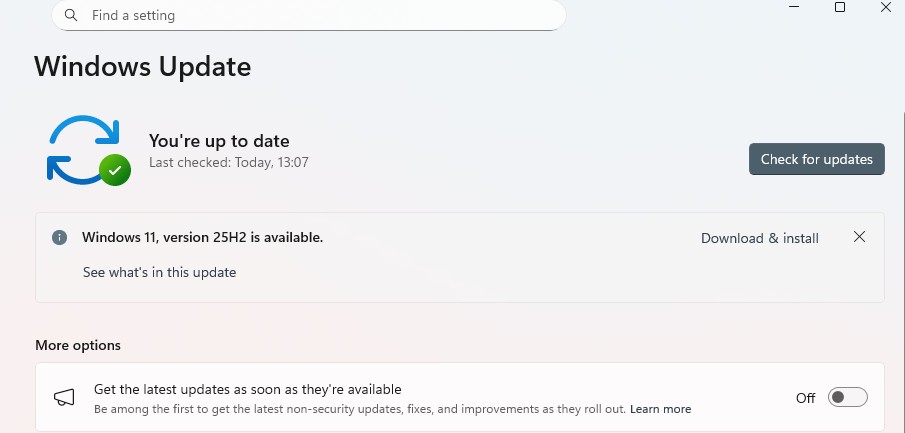
There are some problems that Microsoft still needs to fix despite the Windows 11 January 2026 update
Beyond the three officially acknowledged bugs, users have reported additional issues that Microsoft has not commented on. Some people are seeing a black screen appear for several seconds or even minutes after logging in, before the cursor and desktop finally load. This makes the computer seem frozen or broken even though it eventually starts working.
Desktop backgrounds are being reset to solid black for some users after the update. People who had custom wallpapers or the Windows Spotlight feature enabled are finding they need to set up their backgrounds again from scratch. The setting does not stick after a reboot in some cases, forcing users to repeatedly reconfigure their desktop appearance.
File Explorer’s desktop.ini feature stopped working properly after this update. The desktop.ini file lets users customize folder names and icons, which is particularly useful for organizing projects and network drives. After KB5074109, those customizations no longer apply, and folders just show their default names and icons regardless of what the desktop.ini file specifies.
How can you get these emergency fixes?
The emergency fixes released on January 17 are not delivered through regular Windows Update. Microsoft published them only through the Microsoft Update Catalog, which means you need to manually search for the specific update number and download the installer file. This is unusual since most people never have to visit the Update Catalog and would not know it exists.
For Windows 11 version 25H2 and 24H2 users dealing with Remote Desktop issues, the fix is KB5077744. For Windows 11 version 23H2 users with the shutdown bug, the fix is KB5077797. Windows Server versions have their own KB numbers depending on which server version you are running. You need to search for your specific KB number on the Update Catalog, download the file, and install it manually.
Should you install the January update?
Given all these problems, the natural question is whether you should install the January 2026 updates in the first place. For home users, you might want to wait until Microsoft sorts this out more completely. The emergency fixes address some issues but not all of them, and there could be additional problems that have not been widely reported yet.
For businesses and enterprise users, the decision is harder because the January updates include important security patches. Skipping security updates exposes systems to potential vulnerabilities. But deploying updates that break Remote Desktop, email, and other critical business functions is not acceptable either. Many IT departments are holding off on the January updates or only deploying them to test systems until Microsoft confirms everything is stable.
If you already installed the January updates and are experiencing issues, you have a few options. You can manually download and install the emergency fixes from the Update Catalog if your problem is one of the two that has a fix available. You can use the workarounds like killing the Outlook process through Task Manager. Or you can uninstall the Windows 11 January 2026 update entirely and wait for Microsoft to release revised versions that work properly.
Microsoft will presumably continue investigating and fixing the remaining issues over the coming weeks. The Outlook Classic bug needs a proper solution, not just a Task Manager workaround. The black screen, wallpaper resetting, and desktop.ini problems need to be acknowledged and addressed. And the company needs to figure out how to prevent similar disasters in future monthly updates.






[…] you have ever been mid-presentation, mid-match, or just mid-thought when Windows decided it was the perfect time to force an update and restart your computer, this news is for […]