
Windows 11 update pause feature now lets you delay updates forever

If you have ever been mid-presentation, mid-match, or just mid-thought when Windows decided it was the perfect time to force an update and restart your computer, this news is for you.
Microsoft has just announced one of the most requested quality-of-life changes in Windows 11 history: the ability to pause a Windows 11 update indefinitely. No hard cap. No forced restart after a certain point. Just you, deciding when your computer gets updated.
The change is currently rolling out to users enrolled in the Windows Insider Dev and Experimental channels, but given how long users have been asking for exactly this, expect it to reach everyone else very soon.
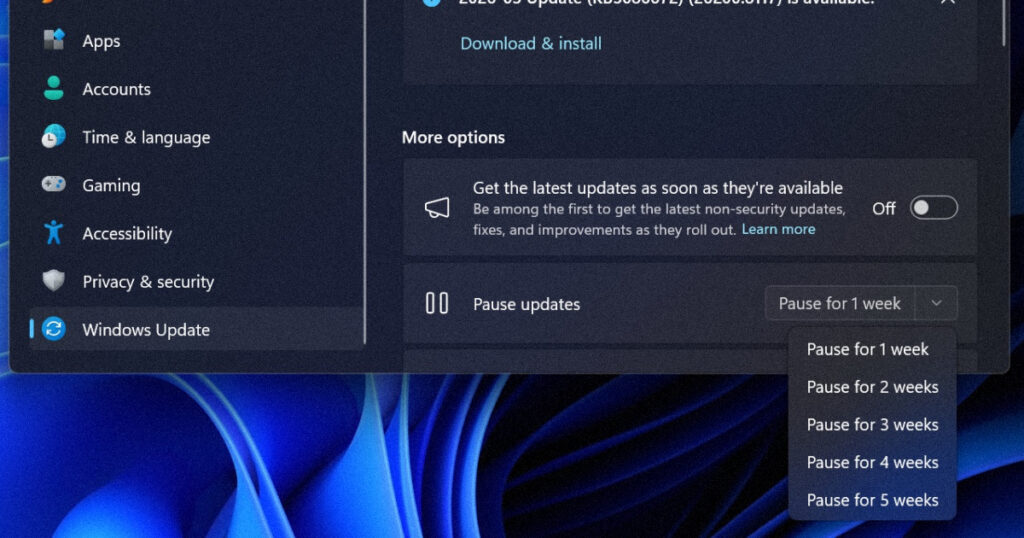
What exactly has Microsoft changed?
The Windows 11 update pause feature works like this. With a new calendar experience, you can choose a specific day of the month you want to pause updates until, up to 35 days, enabling you to plan around expected travel, conferences, exams, or even just busy weeks.
When 35 days just is not long enough, Microsoft is also enabling you to extend the pause end date as many times as you need. This means you can now re-pause for up to 35 days at a time, with no limits on how many times you can reset the pause end date.
That last part is the key. Previously, Windows 11 allowed users to pause updates, but only up to a fixed limit. Once that limit was reached, the updates would install whether you liked it or not. Users select a pause duration up to 35 days, then get the option to extend before that period expires.
There is no mention in Microsoft’s announcement of any maximum total pause duration, suggesting users could theoretically defer updates for months if they keep clicking extend.
This effectively allows users to run a Windows 11 PC without ever having to update it, though Microsoft does not recommend this for security reasons. The point is not necessarily that users will delay updates forever. It is that they finally have the choice.
This is the first major update policy change in over a decade
The upcoming changes, currently being tested in the Windows Insider Program before a wider public release, seek to give users much more control in four key ways: delaying updates on new devices, indefinite update pausing and scheduling, restoring normal shutdown and restart options, and clearer update information.
New device owners would no longer be forced to install updates immediately after taking their devices out of the box. They now have the option to go straight to the desktop and hold off on updates until a more convenient time.
Anyone who has bought a new laptop, only to spend the first 45 minutes watching progress bars instead of actually using it, will appreciate this one deeply.
These changes are all rolling out now to Windows Insiders with Build 26220.8282 for Beta and Build 26300.8289 for Experimental channels.
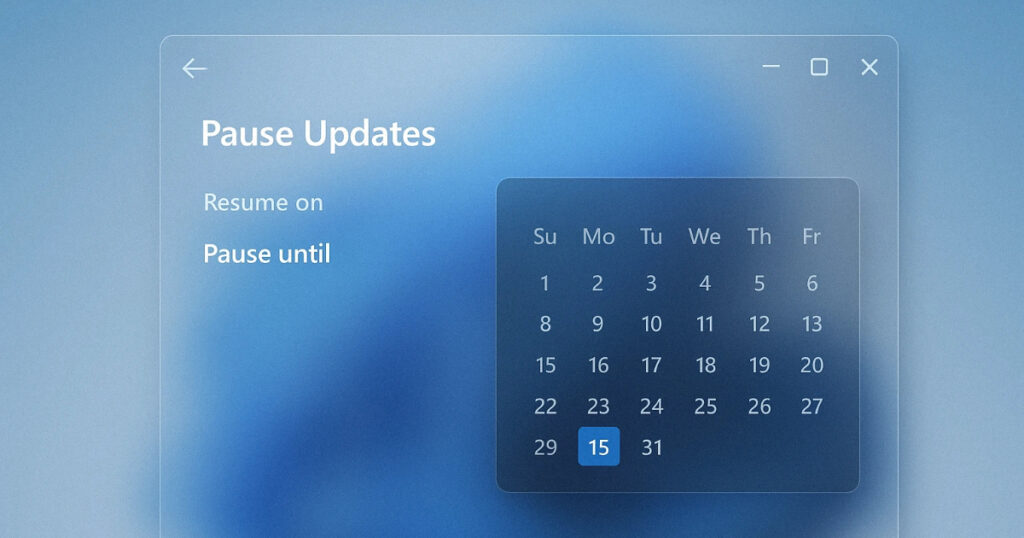
The forced restart problem is finally being fixed too
The update pause is only part of the story. The other change that Windows users have been begging for is just as significant: the ability to shut down or restart your computer normally, without being forced through an update first.
Restarting or shutting down your PC should always be simple, predictable, and on your terms, even with updates waiting to be installed. Microsoft is improving this experience by clearly separating power actions from update actions.
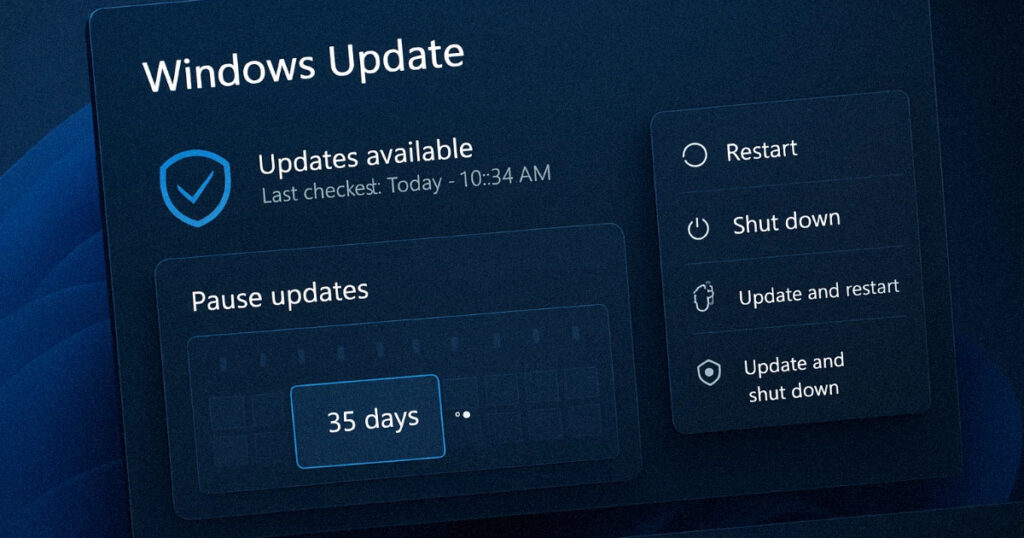
With this change, the Power menu will always show the standard Restart and Shut down options, meaning you will always have a choice to just restart or shut down your device without updating.
The “Update and shut down” and “Update and restart” buttons were a constant annoyance because users were forced to wait until the update finished installing. That is now gone.
You will still see an option to update and restart if you want to, but it will no longer be the only option staring back at you when you just want to close your laptop and go to sleep.
Why did Microsoft make this change now?
This did not happen in a vacuum. Microsoft’s Aria Hanson detailed the changes in a Windows blog post, noting that the team read 7,621 pieces of feedback that helped shape these updates. That kind of specific number is not accidental. Microsoft is making a deliberate point of showing that it listened to real user complaints.
Microsoft’s Aria Hanson wrote that these changes were a result of feedback that consistently mentioned “disruption caused by untimely updates and not enough control over when updates happen.”
The move follows a broader set of commitments Microsoft made last month to address what it called users’ “most common complaints” about Windows 11. Among those complaints, making updates less disruptive ranked at the top of the list.
The timing also reflects competitive pressure from other operating systems. Apple’s macOS has always allowed users to defer updates indefinitely. Android respects user timing preferences for system updates. Microsoft’s move brings Windows more in line with competitor practices and, more importantly, with what users have been demanding for years.
Microsoft is also reducing how often updates happen
Beyond the Windows 11 update pause feature, Microsoft is tackling the sheer frequency of updates too. Microsoft is starting to coordinate driver, .NET, and firmware updates, so there are fewer updates each month.
For users who feel like Windows is constantly asking them to restart for one reason or another, this coordination effort could make a noticeable difference to daily life.
Perhaps the most significant related change is fewer disruptions overall, with the sole purpose being to reduce the number of reboots users see every month.
This addresses a separate but related complaint: that even when updates were not being forced on users at the worst moment, they were just happening too often in general.
Should you delay your Windows updates forever?
This is the question that security researchers will inevitably raise, and it is a fair one. Windows updates are not just about new features. The vast majority of them are security patches that protect your system from known vulnerabilities and malware.
Security researchers have long warned that delayed updates create windows of vulnerability. But Microsoft seems willing to let users make that choice rather than force updates that drive them to disable Windows Update entirely through registry hacks and third-party tools.
That trade-off actually makes sense. A user who indefinitely pauses updates using the new built-in tool is still in a better position than someone who has disabled Windows Update entirely through workarounds, because at least Microsoft can still communicate with them and nudge them toward installing critical patches.
The practical advice is straightforward: use the Windows 11 update pause feature to avoid disruption during important moments, but do not leave your system without security updates for extended periods. Pausing for a few weeks to get through a busy project or holiday is very different from ignoring updates for six months.
When will everyone get access?
The change is live now for users on the Dev and Experimental Windows Insider channels. Insider features typically spend weeks or months in testing before rolling out broadly. But given Microsoft’s public commitments around update improvements, expect this to land for everyone within the next few months.
If you want access right now and do not mind running pre-release software, you can enrol in the Windows Insider Program through your Windows 11 Settings. Just be aware that Insider builds, especially the Dev and Experimental channels, can occasionally be unstable, so it is best to try them on a secondary machine rather than your primary work computer.
For everyone else, the wait should not be too long. Microsoft has publicly committed to improving Windows 11 throughout 2026, and the update pause feature is clearly one of the headline deliverables in that effort.
The Windows 11 update pause feature is currently available in the Windows Insider Dev and Experimental channels. A general availability release date has not been confirmed by Microsoft.







[…] good news is that Windows already has a built in tool that shows you exactly where your storage is going. Once you can see the full picture, you can […]
[…] like this one to sneak from “barely there” to “in charge.” This KB5129195 Windows 11 update closes that […]