Samsung Galaxy S26 Ultra Review: A Genuinely Useful Upgrade or Just a Higher Price?

This Samsung Galaxy S26 Ultra review covers the phone honestly. That means the strengths, the weaknesses, the things Samsung did not mention in its press release, and a clear answer to the question most buyers actually have: should you spend $1,299 on this phone right now?
Samsung Galaxy S26 Ultra: Key Specs at a Glance
Before diving into the experience, here is every spec that matters, with a note on what it means for real use.
| Spec | Detail | What It Means |
| Display | 6.9-inch AMOLED, 3120 x 1440, 120Hz | Large, sharp screen. Variable refresh saves battery when you are not scrolling. |
| Brightness | 2,600 nits peak | Easily readable outdoors. Same as last year. |
| Privacy Display | Built-in hardware, 3 modes | World first on a smartphone. Blocks off-angle viewing. |
| Display color depth | 8-bit (confirmed by Samsung) | Not 10-bit as some early specs suggested. More on this below. |
| Processor | Snapdragon 8 Elite Gen 5 for Galaxy | 39% faster AI processing, 35% better CPU efficiency vs last gen. |
| RAM | 12GB (256GB / 512GB models) or 16GB (1TB) | 12GB is plenty for most tasks. 16GB only with the top storage tier. |
| Storage | 256GB, 512GB, or 1TB (UFS 4.0) | UFS 4.0, not UFS 4.1 as many expected. Faster than most phones but below flagship expectations. |
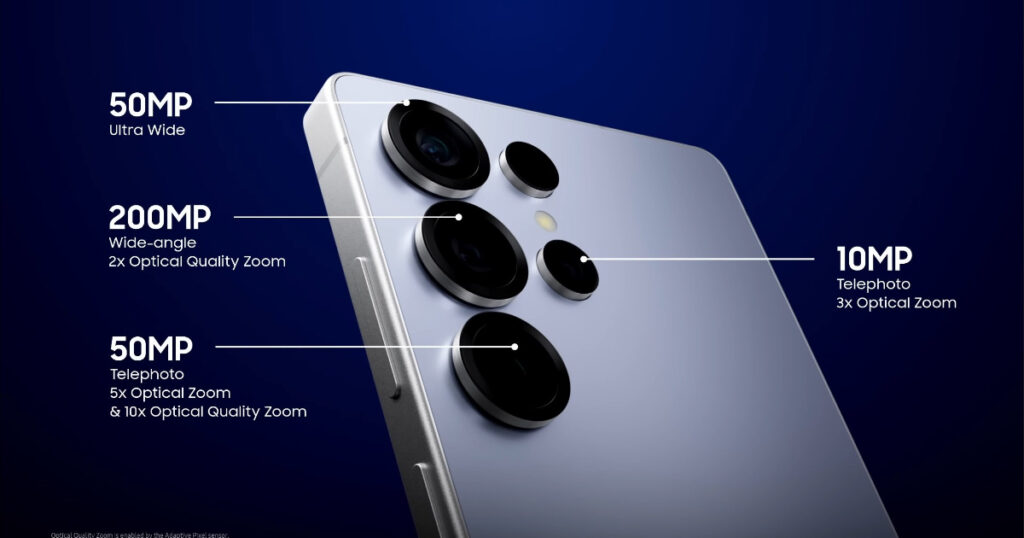
| Main camera | 200MP, f/1.4 aperture, 47% more light vs S25 Ultra | Wider aperture is a real and noticeable improvement in low light. |
| Ultra-wide | 50MP, f/1.9, 13mm equivalent | Unchanged from last year. Decent but not class-leading. |
| Telephoto (3x) | 10MP, f/2.4 | Unchanged. |
| Telephoto (5x) | 50MP, f/3.4, 37% more light vs S25 Ultra | Improved aperture makes a visible difference at optical zoom distance. |
| Battery | 5,000mAh (rated 4,855mAh) | Same capacity as S25 Ultra. Better real-world life thanks to chip efficiency. |
| Wired charging | 60W | Up from 45W last year. A meaningful improvement. |
| Wireless charging | 25W | Unchanged. |
| S Pen | Built-in, no Bluetooth | Bluetooth removed in S25 Ultra last year. Continues here. |
| Weight and thickness | 214g, 7.9mm | 4g lighter and 0.3mm thinner than S25 Ultra. |
| Frame material | Armor Aluminum | Back to aluminum from titanium. Slightly lighter, more color options. |
| Price (US) | $1,299 (256GB) to $1,799 (1TB) | Same starting price as S25 Ultra. 1TB model costs $140 more than last year. |
| Android version | Android 16, One UI 8.5 | Seven years of OS updates promised. |
Design: Familiar Shape, Slightly Thinner
If you put the Galaxy S26 Ultra next to last year’s S25 Ultra, it is almost impossible to tell them apart at a glance. Samsung did not redesign this phone. The same rectangular block shape is here, the same flat screen edges, and the same large rear camera cluster.
What is different is subtle. The phone is 0.3mm thinner at 7.9mm and 4g lighter at 214g. On paper, that sounds small. In practice, the difference is almost impossible to feel when you hold the phone.
The frame has changed from titanium back to aluminum, which Samsung calls Armor Aluminum. Samsung says the switch makes it easier to match the frame color to the front and back glass. In reality, most buyers probably will not notice or care about this.
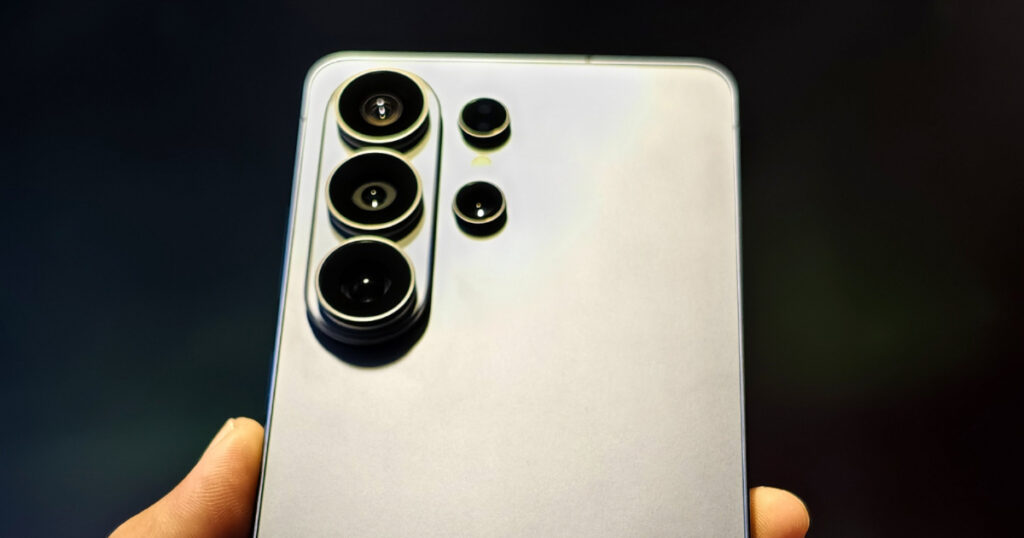
One design change that is worth mentioning is the rear camera island. The individual camera rings are gone. In their place is a single glass panel that flows into the body of the phone. This looks cleaner and more unified. It also means there are fewer edges to collect dust and grime.
The S Pen sits in a slot at the bottom of the phone. One reviewer noted that it now protrudes slightly from the edge, which is a small but real annoyance. This was not a problem in previous Ultra models.
Colors available at launch are Cobalt Violet, Sky Blue, Black, and White. Silver Shadow and Pink Gold are available only from Samsung directly.
Display and Privacy Display: The Standout Feature Explained
The screen itself is technically unchanged from last year. You get the same 6.9-inch AMOLED panel with 3120 x 1440 resolution, 2600 nits peak brightness, and a 120Hz variable refresh rate. Samsung added ProScaler technology, which improves the sharpness of content upscaled to QHD+ resolution.
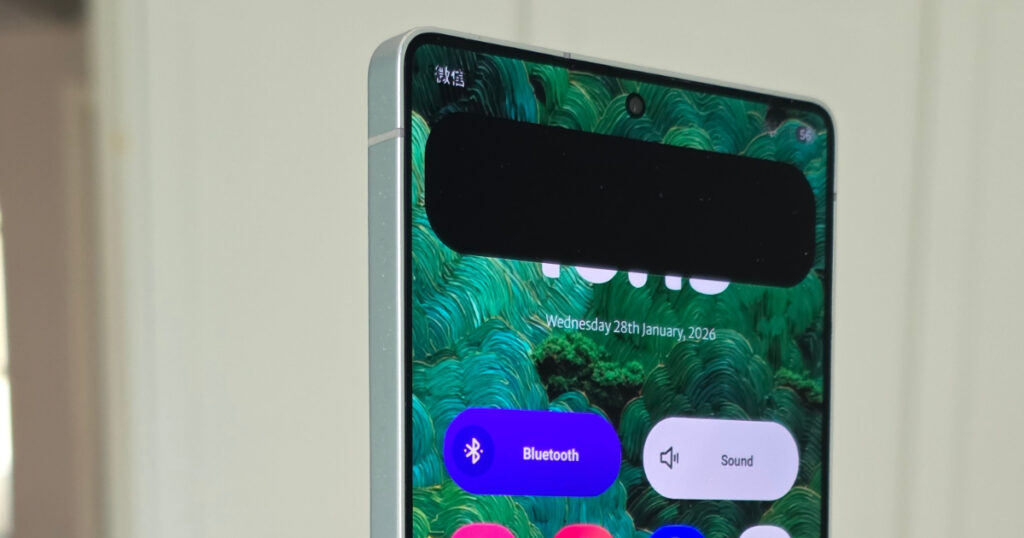
The big story is the Privacy Display. This is a world first on a smartphone. A built-in hardware layer inside the screen restricts how visible the screen is when viewed from the sides or above. No one sitting next to you on the train can read your messages.
Three Privacy Modes
Standard mode: Side viewing is noticeably reduced. There is a very small drop in color accuracy when you look at it straight on. Most users would not notice this. You can leave this on all the time without much impact on your experience.
Maximum Protection mode: Significantly narrows the viewing angle. This is where it gets real. Someone trying to look from the side will see almost nothing useful. The trade-off is that contrast and color saturation drop noticeably when you are looking at the screen head-on. Most reviewers agree this mode is best for specific situations rather than everyday use.
Smart Auto mode: The phone turns the Privacy Display on automatically for certain situations, like when you open a banking app, enter a PIN on your lock screen, or get a notification. This is the most practical mode for most people.
One limitation worth knowing: Smart Auto mode only works with system-level prompts right now. Third-party apps need to be individually optimized to trigger it. So your banking app might not activate it automatically unless the app is updated to support it.
The 8-bit Display Issue
Some early spec sheets listed the Galaxy S26 Ultra display as supporting 10-bit color. Samsung has since confirmed through SamMobile that it is 8-bit. This matters for photographers and video editors who need the widest possible range of colors displayed accurately.
For the average person watching Netflix, scrolling Instagram, or video calling, 8-bit looks perfectly fine. The display is still one of the best on any smartphone. But if you planned to use this phone professionally for color work, this is worth knowing before you buy.
Performance: The Snapdragon 8 Elite Gen 5 in Practice
The Galaxy S26 Ultra runs on Qualcomm’s Snapdragon 8 Elite Gen 5, customized specifically for Samsung. The chip is 19% faster at general processing and 35% more power-efficient compared to last generation, according to Qualcomm. The AI processing unit (NPU) inside the chip is 39% faster.
In everyday use, the phone feels very fast. Apps open quickly, multitasking is smooth, and there is no lag when switching between demanding tasks. Games with ray tracing support run well, which is a new feature for the S26 series.
The switch back to aluminum for the frame, combined with an improved vapor chamber, helps with heat. The Snapdragon 8 series has sometimes run warm under sustained load. Early testing suggests the S26 Ultra manages this better than its predecessors, though testing over longer periods of heavy use is still ongoing as of this review.
Camera: Brighter Lenses, Same Sensors, Real-World Results
The camera system on the Samsung Galaxy S26 Ultra is one area where reviewers have had mixed reactions. Here is an honest breakdown.
What Actually Changed
Samsung kept the same physical sensors as last year across every lens. What changed are the lenses themselves. The main camera and the 5x telephoto both received significantly wider apertures.
- Main camera: f/1.4 aperture (wider than the S25 Ultra) lets in 47% more light.
- 5x telephoto: f/3.4 aperture lets in 37% more light.
These are not minor upgrades. A wider aperture means better low-light performance, more natural background blur in portraits, and more detail retained in shadow areas. In tests conducted at a wet, rainy Galaxy Unpacked event in San Francisco, the low-light results on the main camera were noticeably better than on the S25 Ultra.
What Did Not Change
The ultra-wide camera is exactly the same as last year. It has a 13mm equivalent field of view, f/1.9 aperture, and 50MP sensor. PetaPixel’s review specifically noted that the ultra-wide was weak in low light and called it out as an area Samsung should address in a future model.
The selfie camera is also unchanged.
Optical zoom distances remain at 3x and 5x. These are hardware optical zooms, not digital crops. Samsung’s Space Zoom feature can go beyond this digitally, but results at extreme zoom levels involve significant processing.
Galaxy AI and Photos
Photo Assist now accepts text prompts. Instead of tapping through menus to edit a photo, you can type what you want. Examples include asking it to remove a background object, change the sky, or enhance the colors in a specific area. The feature supports 41 languages.
Creative Studio lets you turn quick sketches into stickers, add AI-generated elements to photos, and edit in more complex ways. These tools are fun and genuinely useful for social media creators. Whether they justify the price of the phone on their own is a different question.
Battery Life: Better Than Last Year, Still Behind Apple
The battery capacity is the same 5,000mAh as the S25 Ultra. The improvement in real-world life comes entirely from the Snapdragon 8 Elite Gen 5 chip, which uses power more efficiently.
Tom’s Guide ran their standard battery test on the S26 Ultra, which involves continuous web browsing over 5G at 150 nits of screen brightness. The result was 16 hours and 10 minutes. That is more than two hours longer than the S25 Ultra scored on the same test.
| Phone | Battery Life (Tom’s Guide 5G Test) |
| Samsung Galaxy S26 Ultra | 16 hours 10 minutes |
| Samsung Galaxy S25 Ultra | Under 14 hours (new test version) |
| iPhone 17 Pro Max | Longer than S26 Ultra (details TBC) |
Charging speeds are improved. Wired charging now reaches 60W, up from 45W on the S25 Ultra. In practical terms, this means a full charge from zero takes roughly 70 to 75 minutes with a compatible charger. Wireless charging stays at 25W.
One reviewer confirmed that the Privacy Display feature does not significantly affect battery life. Running Standard Privacy mode all day had no noticeable impact.
Galaxy AI Features: What They Actually Do
Samsung has used Galaxy AI as a marketing term since 2024. On the S26 Ultra, several features are genuinely new and worth understanding in plain terms.
Now Nudge
This is a new feature that watches what is on your screen and offers a relevant suggestion. If a friend texts you asking to see your holiday photos, Now Nudge might surface a quick-jump button to your Gallery. If you read a message mentioning a meeting time, it might suggest adding it to your Calendar. It works in the background and makes suggestions rather than taking over.
Now Brief
This is a proactive summary that appears at set times during the day. It pulls from your calendar, messages, and saved information to give you a brief overview of what is relevant right now. Think of it as a smart notification summary. It uses information stored on the device, not sent to a cloud, which addresses some privacy concerns.
Photo Assist with Written Prompts
Instead of navigating menus to edit photos, you type what you want. This makes AI photo editing much faster for people who found the previous tap-through interface slow. The results vary depending on what you ask for, but for common tasks like object removal and sky replacement, it works well.
Bixby with Natural Language
Samsung’s Bixby assistant now understands more natural speech patterns. Instead of needing to say a specific command format, you can ask it questions in the same way you might phrase a sentence. It can change settings, run a web search, and open apps based on conversational requests.
Galaxy AI features work locally on the device for most tasks. Some features use Samsung’s cloud when needed. You can check which features use cloud processing in the Privacy settings if this matters to you.
S Pen: Still Useful, Still Missing Bluetooth
The S Pen is one of the few features that separates the Ultra from every other Android flagship. It slides into a slot at the bottom of the phone and lets you write notes, annotate screenshots, sign documents, and convert handwriting to text.
What it no longer does is act as a remote control for your phone. Samsung removed Bluetooth from the S Pen in the S25 Ultra last year, which meant you could no longer use it to take photos remotely, control presentations from a distance, or navigate apps without touching the screen. That removal continues in the S26 Ultra.
For people who used Bluetooth S Pen features, this remains a real loss. For people who only ever used the S Pen for writing and drawing directly on the screen, it does not change anything.
One design note: the S Pen now sits slightly proud of the bottom edge of the phone. It creates a very small triangular bump where the pen meets the chassis. It is minor but worth knowing if you are particular about how your phone looks and feels in your hand.
Samsung Galaxy S26 Ultra vs iPhone 17 Pro Max: How They Compare
The most common comparison people make is between the Galaxy S26 Ultra and Apple’s iPhone 17 Pro Max. Here is how they line up on the things that matter most.
| Area | Galaxy S26 Ultra | iPhone 17 Pro Max |
| Starting price | $1,299 | $1,199 |
| Display size | 6.9 inches | 6.9 inches |
| Privacy Display | Yes, built-in hardware | No |
| S Pen stylus | Yes, built-in | No |
| Battery life (Tom’s Guide) | 16h 10min | Typically 16 to 18h (model-dependent) |
| Charging (wired) | 60W | 45W (estimated) |
| App ecosystem | Android (Google Play) | iOS (App Store) |
| Storage type | UFS 4.0 | NVMe (typically faster) |
| Software updates | 7 years promised | Typically 5 to 6 years |
| AI features | Galaxy AI (on-device + cloud) | Apple Intelligence |
Neither phone is objectively better for every person. The Galaxy S26 Ultra makes more sense if you want a stylus, a privacy screen, faster wired charging, and Android’s more open ecosystem. The iPhone 17 Pro Max tends to lead on video recording quality and has faster internal storage speeds. Both are excellent all-round smartphones.
Who Should Buy the Galaxy S26 Ultra and Who Should Wait
This is the question most reviews dodge. Here is a plain answer based on what the phone actually delivers.
| Upgrade Makes Sense If… | Better to Wait or Skip If… |
| + You are upgrading from a Galaxy S23 Ultra or older. The performance, camera, and screen improvements will feel significant. | – You already own a Galaxy S25 Ultra. The improvements are real but not dramatic enough to justify $1,299. |
| + You frequently handle sensitive info in public and want the Privacy Display. | – You already own a Galaxy S24 Ultra. The gap is smaller and most carrier trade-in deals still favor waiting. |
| + You use the S Pen regularly and want the fastest Android phone available. | – You do not care about the S Pen or the Privacy Display. The standard S26 is a better value option. |
| + You want seven years of guaranteed software updates. | – You were expecting the 1TB model at the same price. It is now $1,799, which is $140 more than last year. |
Pros and Cons: Quick Summary of the Samsung Galaxy S26 Ultra review
| Pros | Cons |
| + World-first Privacy Display, actually works well in Standard mode | – Design looks almost identical to four previous Ultra models |
| + Noticeably improved low-light camera performance from wider aperture | – Ultra-wide camera unchanged and still weak in low light |
| + 16 hours and 10 minutes battery life, 2+ hours more than S25 Ultra | – Battery behind iPhone 17 Pro Max in standard tests |
| + 60W wired charging, fastest for Samsung Ultra to date | – No Bluetooth on S Pen for the second year running |
| + Snapdragon 8 Elite Gen 5 delivers smooth, fast, cool performance | – Display is 8-bit, not 10-bit despite early spec suggestions |
| + 7 years of OS and security updates | – Storage is UFS 4.0, not the UFS 4.1 many flagships now offer |
| + Galaxy AI features are genuinely useful, especially Now Nudge | – 1TB model price increased by $140 vs last year |
Final Verdict: Is the Samsung Galaxy S26 Ultra Worth $1,299?
The Samsung Galaxy S26 Ultra review has to end with a straight answer, so here it is.
This is a very good phone. The Privacy Display genuinely works and solves a real problem. The camera improvements from wider apertures are visible, particularly in low light on the main lens and the 5x telephoto. Battery life is meaningfully better than the S25 Ultra. The Snapdragon 8 Elite Gen 5 chip is fast, efficient, and well-cooled.
At the same time, this phone asks you to look past some real limitations. The ultra-wide camera is unchanged and still the weakest lens in the system. The display is 8-bit, not 10-bit. The storage is UFS 4.0 rather than the newer 4.1 that other 2026 flagships offer. The design is essentially the same phone Samsung has sold for the past four years.
If you are coming from a Galaxy S23 Ultra or older, the S26 Ultra is a significant and worthwhile jump. You will feel the difference in every area.
If you are coming from a Galaxy S25 Ultra, the honest advice is to wait unless the Privacy Display is a specific need for you.
For everyone else deciding between this and an iPhone 17 Pro Max, the choice comes down to the S Pen and Privacy Display on one side versus Apple’s consistently stronger video quality and faster internal storage on the other.