Perplexity Mac app launches to change how you use your computer

Perplexity Mac app launches to change how you use your computer
The way we interact with our computers is shifting away from traditional search engines and toward integrated artificial intelligence. Perplexity has just taken a massive step in this direction by launching the official Perplexity Mac app. For a long time, users had to keep a browser tab open to access the conversational search engine. Now, it lives directly on the hardware. This transition is not just about convenience. It is about making the AI a core part of the operating system. The app is designed to be lean, fast, and accessible at a moment’s notice, which is exactly what power users have been asking for since the company first gained popularity.
This move puts Perplexity in direct competition with the likes of ChatGPT and Apple Intelligence. While browsers are great for deep dives, a native application allows for deeper integration. The Perplexity Mac app feels like a natural extension of the Mac experience. It does not feel like a web wrapper. Instead, it is a tool that understands the environment it is running in. Whether you are a student writing a paper or a developer looking for a specific code snippet, having this tool a single click away changes the workflow entirely.
Why the Perplexity Mac app is a big deal for users
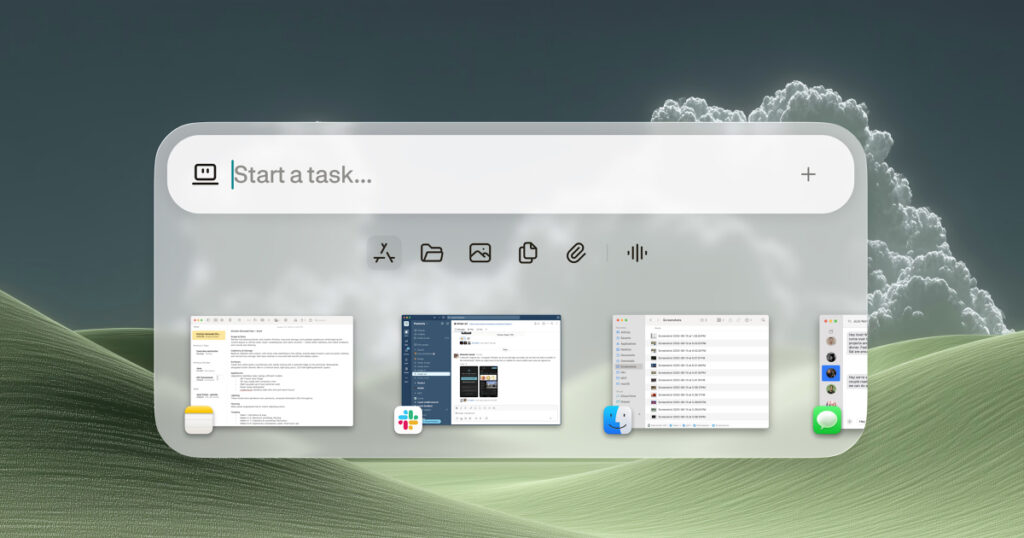
One of the most frustrating parts of using AI today is the friction of switching between apps. You find something interesting in a PDF, then you have to copy it, open a browser, paste it, and wait for a response. The Perplexity Mac app eliminates several of those steps. It features a global shortcut that allows you to trigger a search bar regardless of what you are doing. This is similar to how Spotlight or Raycast works. You hit a key combination, and the AI is ready to listen. This speed is what makes the app feel “viral.” It is built for a generation that does not want to wait for a page to load.
Furthermore, the Perplexity Mac app introduces a sense of permanence. It stays in your menu bar, ready to be summoned. This is a significant shift for Perplexity as a company. They are moving from being a website you visit to being a utility you rely on. The focus here is on utility and efficiency. By removing the browser as a middleman, the developers have managed to shave off those precious seconds that usually interrupt a “flow state.” For professionals working in fast-paced environments, this is the primary selling point.
Using the Perplexity Mac app for daily tasks
The versatility of the tool is where it truly shines. When you open the Perplexity Mac app, you are greeted with a clean interface that prioritizes the search bar. You can type questions in natural language, and the app provides synthesized answers with cited sources. This is the core of what Perplexity does. It does not just give you a list of links. It reads the internet for you and summarizes the information. In the desktop version, this feels even more powerful because you can drag and drop files directly into the window.
If you have a massive spreadsheet or a long legal document, you can toss it into the Perplexity Mac app and ask for a summary. The app handles these local files with ease. This is particularly useful for GEO-specific research. If you are looking for local zoning laws or specific regional market data, the app can parse those documents and give you a breakdown in seconds. It uses “Pro Search” to go deeper into the web when needed, ensuring that the information is not just fast, but also accurate and contextually relevant to your specific location or industry.
Advanced features inside the Perplexity Mac app
The most impressive part of the Perplexity Mac app is its “Vision” capability. This allows the AI to see what is currently on your screen. If you are looking at a complex chart on a website or a frame from a video, you can ask the app to explain what you are seeing. This screen-awareness is a game-changer for accessibility and learning. Instead of trying to describe a visual problem to an AI, you simply let the AI look at it. This feature is integrated seamlessly into the Mac’s permissions system, ensuring that you have control over when the app is “looking” and when it is not.
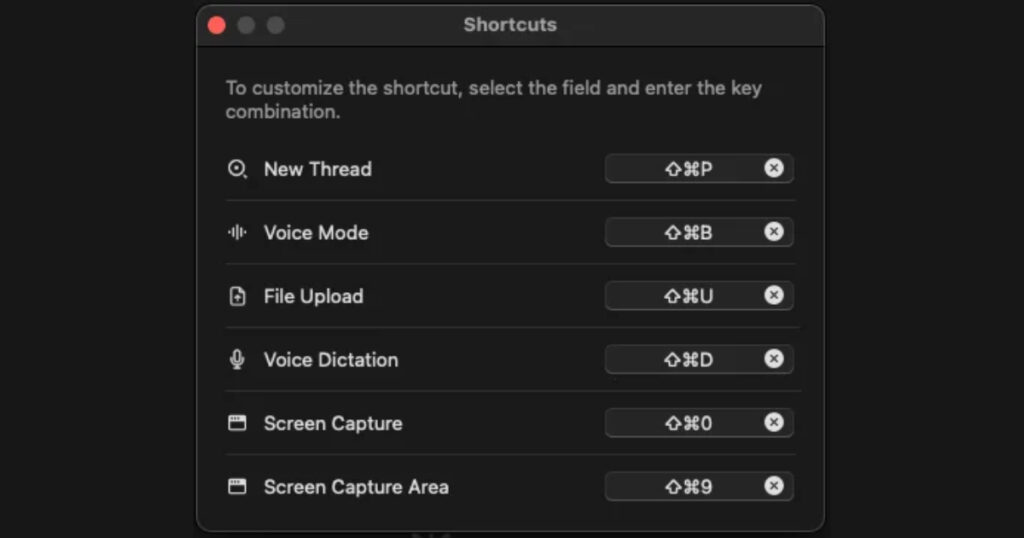
Voice input is another major pillar of the Perplexity Mac app. The app supports natural voice dictation, allowing you to speak your queries. On a desktop, this is often faster than typing, especially when you are multitasking. The voice recognition is sharp and handles technical jargon well. Because it is a native app, it leverages the Mac’s built-in audio processing to filter out background noise. This makes it a reliable companion even in a noisy office or a busy coffee shop.
Comparing the Perplexity Mac app to other AI tools
When you look at the landscape of AI desktop assistants, the competition is fierce. OpenAI has a Mac app, and Apple is rolling out its own system-level AI features. However, the Perplexity Mac app carves out its own niche by focusing on search and discovery. While other apps might focus on generative writing or image creation, Perplexity focuses on “knowing.” It is an information engine. The interface is less about “chatting” and more about “finding.” This distinction is important for people who use AI as a research tool rather than a toy.
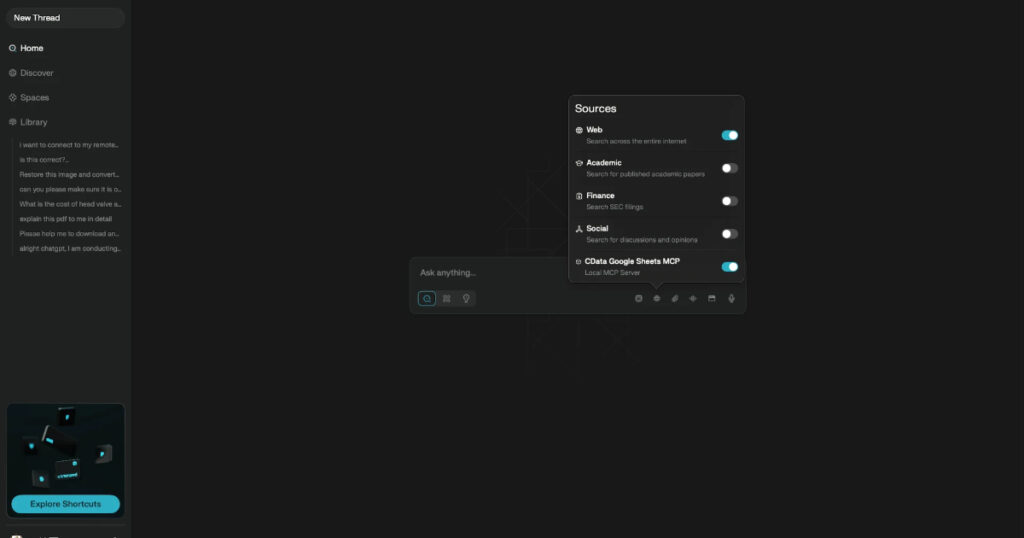
The app also handles the transition between mobile and desktop perfectly. If you start a search on your iPhone while commuting, it will be right there in your history when you open the Perplexity Mac app at your desk. This cross-platform synchronization is essential for modern productivity. It creates a seamless loop of information. You are never starting from zero. The app keeps your threads organized, making it easy to pick up where you left off on complex projects.
Final thoughts on the software experience
The Perplexity Mac app is a lean piece of software. It does not hog system resources, which is a common complaint with web-based apps turned into desktop programs. The animations are smooth, the response times are snappy, and the layout is intuitive. It adheres to the design language of macOS, using translucent backgrounds and standard system fonts. This makes it feel like it belongs on the platform. It is a professional tool built for people who value their time and want the most direct path to the information they need.
Tangible updates on release and availability
If you are ready to install the tool, here are the current details regarding the launch and requirements:
- Release Date: Available now.
- Platform: macOS (requires macOS 14.0 or later).
- Availability: Downloadable via the Mac App Store or the official Perplexity website.
- Price: The app is free to download.
- Subscription: Basic search is free. Access to “Pro Search,” advanced AI models (like Claude 3 or GPT-4o), and increased file upload limits requires a Perplexity Pro subscription priced at $20 per month or $200 per year.
- Hardware: Optimized for Apple Silicon (M1, M2, M3 chips) but also runs on Intel-based Macs meeting the OS requirements.