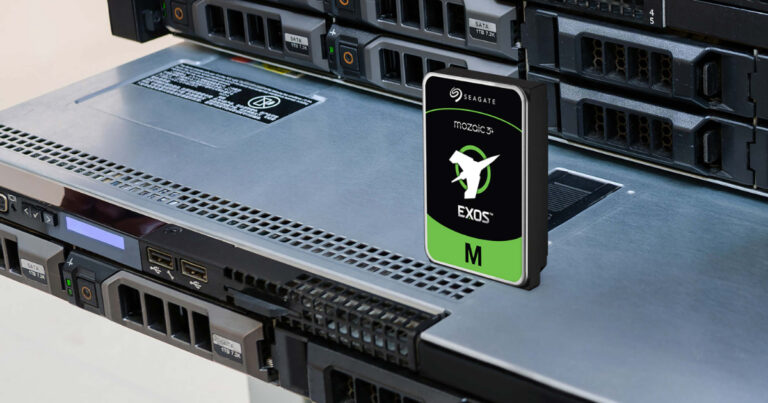
Seagate FireCuda Forge explained: SSD speed and HDD space in one drive

The Seagate FireCuda Forge is a new external drive that tries to end an old argument: do you want fast storage or lots of storage? Until now, most people had to pick one. Seagate says this drive gives you both by putting an SSD and an HDD to work together in a single box.
If you game, edit videos, or just keep a lot of files, this is worth understanding. Below, I explain what it is, how it works, what it costs, and what you should check before buying.
Quick answer: What is the Seagate FireCuda Forge?
The Seagate FireCuda Forge is an external storage drive with a large hard disk (HDD) inside. You add your own NVMe SSD to it. A smart system called Alkemi watches how you use your files and keeps the ones you use most on the fast SSD. Everything else sits on the roomy HDD. You see one drive, and the drive handles the sorting for you.
Key facts at a glance:
- Up to 2,500MB/s read and 2,000MB/s write speeds
- 8TB model from $699 and 20TB model from $899
- Connects over USB4
- Works with Windows 11 and macOS 26 and above
- You must supply your own NVMe SSD
What is the Seagate FireCuda Forge?
Think of your storage like a kitchen. The SSD is the countertop. It is small, but everything you cook with is within reach. The HDD is the pantry. It holds far more, but walking there takes longer.
Most external drives are only a countertop (fast but small and pricey) or only a pantry (huge but slower). The FireCuda Forge is built as both. It is the first Seagate hard drive powered by the Alkemi platform, which is the clever part that decides what sits on the countertop and what goes back in the pantry.
Why storage needs are growing so fast
Our digital lives are getting heavier. Game installs are now often tens or even hundreds of gigabytes each. A few minutes of 4K video can fill a large chunk of a laptop. AI tools now create images, music and animation, and all of that output has to live somewhere.
The research firm IDC expects the world to create 218 zettabytes of data in 2025, rising to more than 718 zettabytes by 2030. That is more than three times as much in only five years. You do not need to understand a zettabyte to see the point. We are all keeping more, and our laptops and consoles fill up quickly.
So people need two things at once. They want quick access to what they use today, and enough space to keep everything else.
How the Alkemi intelligent storage platform works
The Alkemi intelligent storage platform is the brain inside the drive. Its job is simple to describe: learn what you use, and keep it fast.
Here is how it works in everyday terms:
- It watches: Alkemi notices which files you open often.
- It moves: Those files are placed on your SSD, where they load quickly.
- It stores the rest: Files you rarely touch stay on the big HDD.
- It keeps learning: If your habits change, the placement changes too.
Seagate calls this dynamic caching. The same idea of putting busy data on fast storage has been used in data centres for a long time. Alkemi brings it to a normal desk. You do not have to drag files between drives by hand.
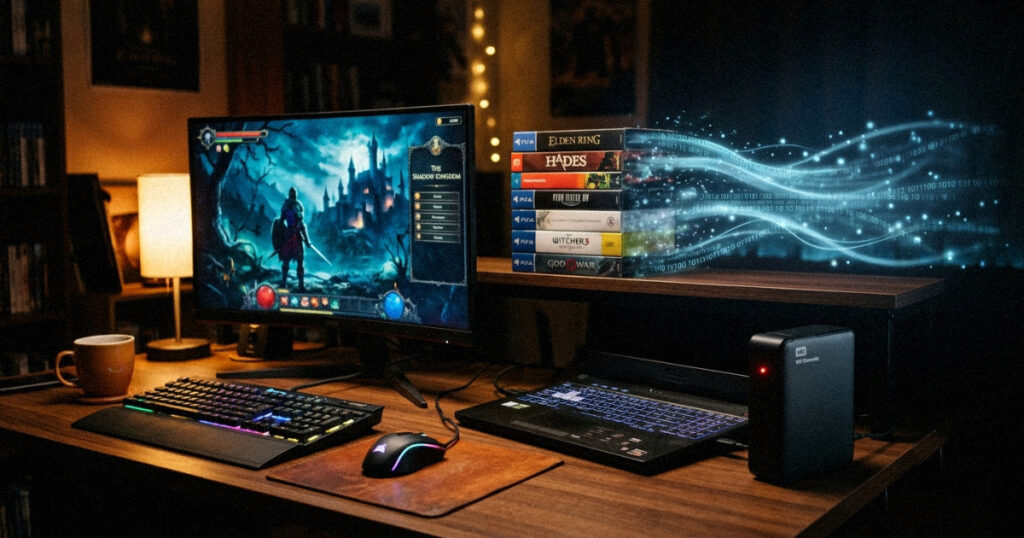
Say you have 40 games installed, but you only play three of them each week. Alkemi should notice this and keep those three on the SSD. The other 37 wait on the HDD. When you get bored of one game and start another, the drive adapts.
SSD and HDD in one drive: what that means in plain words
Having an SSD and HDD in one drive sounds technical, but the difference between the two is easy to grasp.
An SSD has no moving parts and loads files very quickly. An HDD stores a huge amount for a lower price. Mixing flash and hard drive storage is not a brand new idea, but doing it in an external box that learns your habits is the angle Seagate is pushing here.
One detail matters a lot. In the FireCuda Forge, the HDD is part of the drive, and it is described as upgradeable. The NVMe SSD is not included. You choose it and install it yourself, and the drive needs it to work properly.
Who is the Seagate FireCuda Forge for?
Gamers with huge libraries
If you are looking for an external hard drive for gamers, the pitch is easy to see. Modern games are large, and a console or laptop fills up fast. With the Forge, the games you play often can sit on the SSD side, while the rest of your collection stays safely stored on the HDD side.
Video editors and creators
Imagine you edit YouTube videos. This month’s project needs quick access to raw clips. Last year’s projects only need to be kept safe. A drive that puts the current work on the fast SSD and the old work on the HDD fits that pattern well.
Everyday people with growing collections
Photos, family videos, downloads and backups pile up. A single large drive that manages itself is attractive if you do not want to think about where things live.
Why a USB4 external drive matters
The FireCuda Forge connects over USB4. A USB4 external drive can move data much faster than older USB ports, which is how it can reach the speeds Seagate quotes. The catch is that your computer also needs a compatible USB4 port. If your laptop or PC has only older ports, you may not see the full speed.
What to know before you buy
The press release is promising, but a smart buyer checks the details first.
- Your SSD is extra: The listed prices are for the drive. You must buy a compatible NVMe SSD too, so plan for that cost.
- Speed claims say “up to”: The 2,500MB/s read and 2,000MB/s write numbers are the best case. Files that live on the HDD side will not be as fast as files on the SSD side.
- Your computer must be ready: Seagate says it is designed for Windows 11 and macOS 26 and above, and you need compatible USB4 to get the best performance.
- Real-world tests matter: This is a new product. Independent reviews will show how well the learning system works in daily use.
- Details are still missing: Seagate has not explained, in this announcement, which SSD sizes work best or exactly how much SSD space is used for caching. Check the product page before buying.
Frequently asked questions
What is the Seagate FireCuda Forge?
It is an external drive that combines a large hard disk with your own NVMe SSD, managed by Alkemi, so frequently used files load fast while the rest stay stored.
What is Alkemi?
Alkemi is Seagate’s new intelligent storage platform. It learns how you use your data and automatically keeps popular files on the SSD.
Does the FireCuda Forge come with an SSD?
No. You choose and install your own NVMe SSD, and it is required for the drive to work.
How much does it cost?
It starts at $699 for 8TB and $899 for 20TB, before the cost of your SSD.
What systems does it work with?
It is designed for Windows 11 and macOS 26 and above.
Where can I buy it?
It is available through the Seagate online store and authorised partners, though availability can vary by market.
The Seagate FireCuda Forge is built around a clear promise: you should not have to choose between speed and space. The Alkemi intelligent storage platform does the hard part by learning what you use and placing it where it loads fastest. For people with big game libraries, growing video archives, or just too many files, that is a practical idea.
It is not a cheap or plug-and-forget purchase, because you need to add your own SSD and have USB4 ready. Wait for independent testing if you can. If the learning system works as described, the Forge could make storage a lot less annoying.
If you try it, share your experience in the comments. I would love to know how well it works for you.