
WiFi 8 Router Explained: Meet the ROG Rapture GT-BN98

WiFi 8 Router Explained: Meet the ROG Rapture GT-BN98
Quick answer: A WiFi 8 router uses the next generation of WiFi, which focuses on staying stable and reliable instead of only chasing higher top speeds. ASUS ROG has started shipping one, the ROG Rapture GT-BN98. It promises steadier connections across your home, smarter handling of busy networks and tools to help you reduce gaming lag.
Let me explain what that means in simple words.
What Is a WiFi 8 Router and Why Does It Matter?
Most of us judge WiFi by one number: speed. But think about the last time your internet annoyed you. It was probably not because the speed was too low on paper. It was because the video froze for a second, your call lagged, or your game stuttered at the worst moment.
That is the problem WiFi 8 wants to fix. Earlier WiFi generations mostly raced to hit bigger peak speeds. WiFi 8 puts reliability first. It tries to keep your connection steady when many devices are working at once, when you are far from the router, or when the signal is weak.
A WiFi 8 router is simply a router built around this idea. The new ROG Rapture GT-BN98 from ASUS ROG is one of the first to reach buyers.
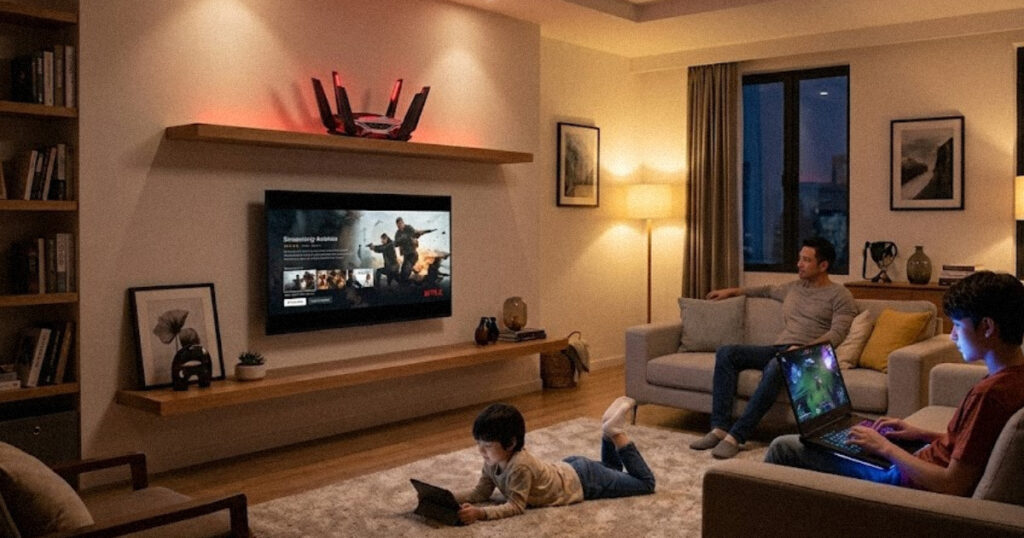
A Day in the Life: Why Reliability Beats Raw Speed
Picture a family of four living in a mid-sized apartment. It is 8 pm.
- Rohan, 17, is in a ranked online match.
- His sister Meera is on a video call with her study group.
- Their father is watching a cricket match in 4K.
- Their mother has a cloud camera, smart bulbs and a smart speaker running in the background.
- A laptop is quietly downloading a big update.
On a basic router, this is where things go wrong. The cricket match buffers. Meera’s face freezes. Rohan’s game spikes to a high ping right when he needs to react. The internet plan is fast enough, but the network is not handling the crowd well.
This is the situation WiFi 8 is designed for. The goal is not to make one device ultra fast. The goal is to make every device feel steady at the same time.
WiFi 8 vs WiFi 7: What Actually Changes?
If you are wondering about WiFi 8 vs WiFi 7, here is the simplest way to see it. WiFi 7 was about going faster. WiFi 8 is about staying consistent.
According to ASUS, the GT-BN98 offers up to 25,000Mbps of combined bandwidth across its bands. That is a big number, but the more interesting part is how the router uses it. It uses new technologies such as:
- New MCS rates: These are new ways of packing data into the signal, which help throughput in different signal conditions.
- UEQM: This helps the router deal with uneven signal quality in a smarter way, so one weak link does not drag things down.
- NPCA: This helps the router use other parts of the channel when the main one is busy, which improves coverage and throughput.
You do not need to remember these names. What matters is the result: fewer sudden speed drops, steadier performance as you move away from the router and a better experience when many devices share the network.
One honest note: to enjoy the full benefit, your phones, laptops and consoles also need WiFi 8 support. Most devices today do not have it yet. Your current devices will still work with the router, but the biggest gains will come as WiFi 8 devices arrive.

Adaptive QoE: A Traffic Police for Your Home Network
Most routers have a feature called QoS, or Quality of Service. It works with fixed rules, such as “always give gaming priority.” The trouble is that life is not fixed. Sometimes you need the bandwidth for a video call, and sometimes for a download.
The GT-BN98 uses adaptive QoE, short for Quality of Experience. Instead of following one fixed rulebook, it keeps watching what is happening on your network and adjusts in real time.
Think of a traffic police officer at a busy junction. A fixed signal gives every road the same time, whether the road is empty or jammed. A smart officer sees the jam building and opens that lane first. Adaptive QoE does the same for your data.
Back to our family: when Rohan’s match, Meera’s call and the cricket stream all peak together, the router shifts bandwidth to keep each one smooth. The background download simply waits its turn, and nobody notices.
How the ROG Rapture GT-BN98 Helps You Reduce Gaming Lag
Gamers care about one thing above most others: ping. Here the router offers two helpful tools.
1. Adaptive QoE for local traffic. By keeping your game traffic from fighting with streams and downloads in your own home, the router gives you a better base to reduce gaming lag.
2. GTNet for the road outside your home. GTNet is a third-party service built into the router’s web interface. It checks real-time network conditions and sends your game traffic through the most reliable path to the game server. It focuses on low latency, not just the shortest distance.
Here is a simple way to picture it. Imagine a delivery rider using a map app. The shortest road on the map may be jammed, so a smart app picks a longer road that is actually faster. GTNet tries to do this for your game data. The promise is fewer lag spikes and a more stable connection in competitive games.
Keep in mind that results will vary. Your internet provider, distance to the game server and your game itself also affect your ping. A good router helps, but it cannot fix everything.

WiFi Insight: Finding the Hidden Troublemakers
Have you ever had WiFi that worked perfectly, then became strange for no clear reason? Often the cause is interference. Your neighbour’s router, a microwave, a baby monitor or other gadgets can all disturb the signal.
WiFi Insight is a feature you open through the router’s web interface. According to ASUS, it keeps scanning for both WiFi and non-WiFi interference across all bands and shows you clear, visual reports. It supports:
- Full-spectrum analysis, so you can see what is crowding the air
- Real-time channel switching, so the router can move to a cleaner channel
- 24-hour event tracking, so you can spot patterns, such as slowdowns every evening
Think of it as a mechanic who listens to your engine and tells you exactly which part is making the noise, instead of you guessing. If your WiFi always gets worse at 9 pm, this kind of history can tell you why.
Wired Ports and Security Built In
WiFi is only half of the story. The GT-BN98 has two 10G ports and four 2.5G ports. That helps if you have a fast home server, a network storage device, a gaming PC or a streaming box that you would rather connect by cable. As internet plans and devices get faster, having high-speed wired ports means the router will not become the bottleneck.
The router also supports ASUS AiProtection, which includes ad and tracker blocking, malicious site filtering and infected device blocking. It works at the router level, so it covers every connected device, including the ones that cannot run antivirus, like smart TVs and smart bulbs.
Should You Buy a WiFi 8 Router Now?
Here is my grounded view.
It makes sense if you are a serious gamer, you have a busy home with many devices, you love having the latest tech, or you want a router that will stay useful for many years.
You might wait if your home is small, your current WiFi 6 or WiFi 7 setup works fine, or you are on a tight budget. Most devices do not support WiFi 8 yet, and the standard is still maturing, so the full benefits will build up over time. Also check the price and local availability before deciding, since I do not want to guess those for you.
Frequently Asked Questions
What is a WiFi 8 router?
It is a router that uses the WiFi 8 standard, which focuses on ultra-high reliability, steady speeds and better performance in busy or long-range situations.
Is WiFi 8 faster than WiFi 7?
It can offer high speeds, but its main goal is consistency. It aims to reduce sudden drops and keep performance steady in real homes.
What is adaptive QoE?
Adaptive QoE is a smart way of sharing bandwidth. It adjusts in real time based on what you are doing, unlike old QoS rules that stay fixed.
Can the ROG Rapture GT-BN98 reduce gaming lag?
It can help. Adaptive QoE keeps game traffic smooth inside your home, and GTNet looks for a lower-latency route to game servers. Your internet provider and game server still play a role.
Do I need WiFi 8 devices to use it?
No. Older devices can still connect. You will see the full WiFi 8 benefits once your devices support it too.
The WiFi 8 router era is about a simple shift: from “how fast can it go?” to “how steady can it stay?” The ROG Rapture GT-BN98 puts that idea into a gaming-focused package with adaptive QoE, WiFi Insight, GTNet, fast wired ports and built-in security. If your home is busy and your patience is thin, it is a router worth watching.






[…] her company has three separate AI tools. One reads delivery documents. Another answers customer questions. A third creates daily reports. […]